Players generate the game. Magnific is the mechanic.
DoctrineStrike is a Command & Conquer-style RTS where players generate their own units, skins and whole factions, live in-game. It runs the Fortnite playbook: a free game that made Epic billions from cosmetics. The difference is that here every skin is generated by the player, on Magnific, instead of drawn by a studio. Magnific becomes the engine and the storefront.
▶ one prompt → a playable unit · the full pipeline, real capture
▶ the real game · live gameplay, early alpha
01 · The opportunity
AI generation sells to studios. The market is players.
AI generation today is sold to studios and pros: thousands of customers buying a tool. But the money sits where the market is, and the market is players: hundreds of millions who will never open a pro tool, yet will generate nonstop inside a game. DoctrineStrike makes that switch: generation stops being a tool you buy and becomes a mechanic you play. Add Magnific and that market opens.
Today · studios~thousands
DoctrineStrike · players100s of millions
Same model, orders of magnitude more users, the moment generation becomes a game mechanic.
Not another AI-generated game
World-model games dream frames on a server farm. DoctrineStrike is a real engine build that runs on today's hardware, where AI generates the content, not the frames. Different genre, different market, no head-on rival.
A genre with room for a platform
Five bounded templates (infantry, tanks, aircraft, buildings, weapons) and a top-down RTS camera keep player creations readable and safe to ship. It is the friendliest possible arena for consumer-scale generation.
02 · The proof
AI art that lives inside the game.
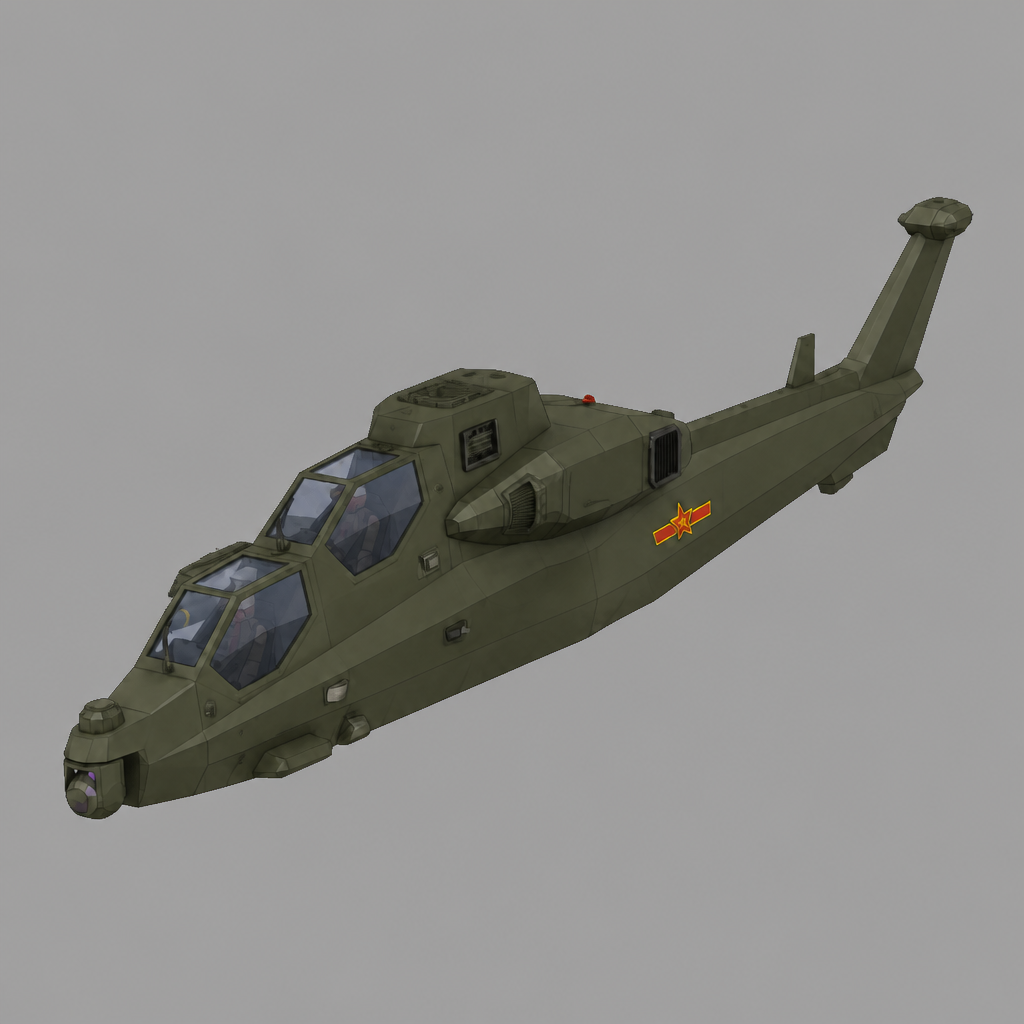
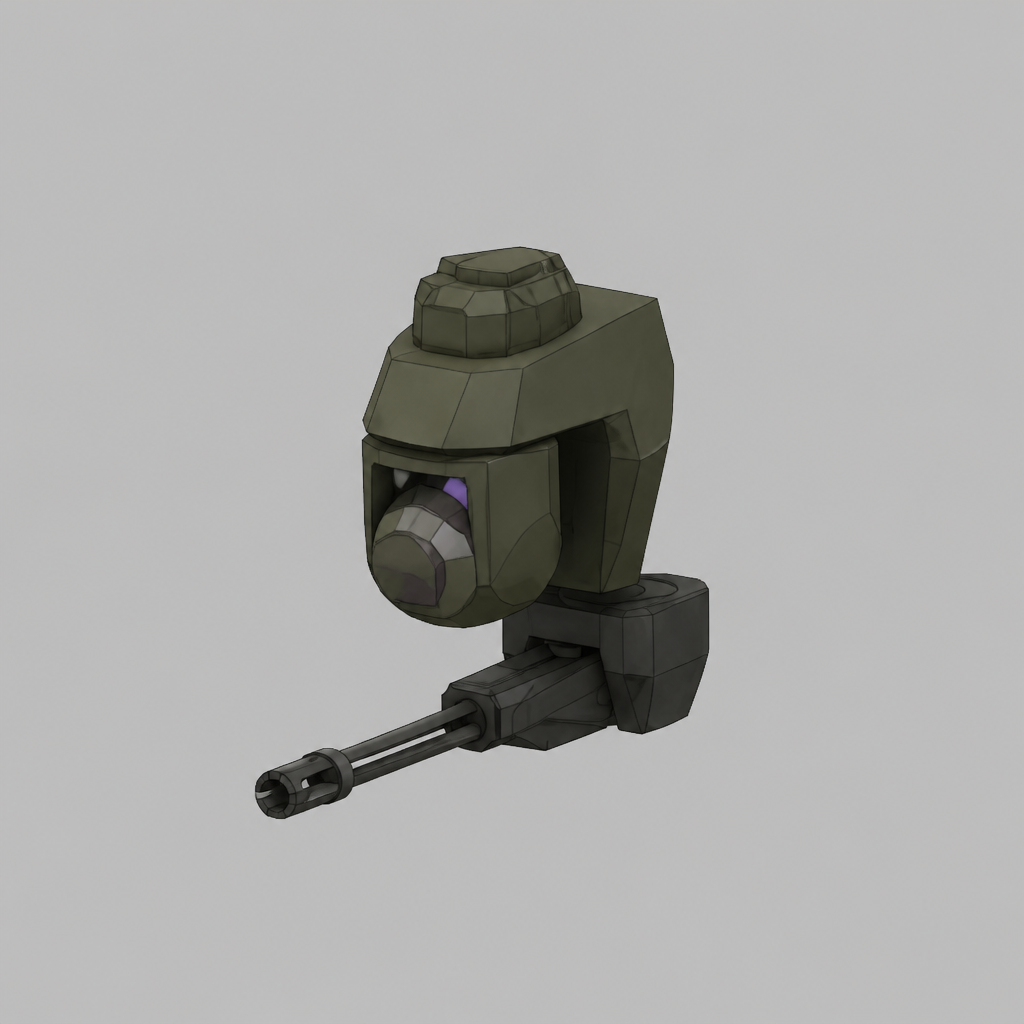
Upscaling and enhancement models got good faster than anything could absorb them. What the field does not have yet is a consumer surface — millions of players generating every day, inside something they already want to play. That is what we built. Every stage (text→image, image→image, image→mesh) is a clean drop-in slot inside Unity, built to run on Magnific and driven by one shared style. Prompt → sprite → mesh → rigged, combat-ready prefab, auto-scaled to its class and wired to play.
body
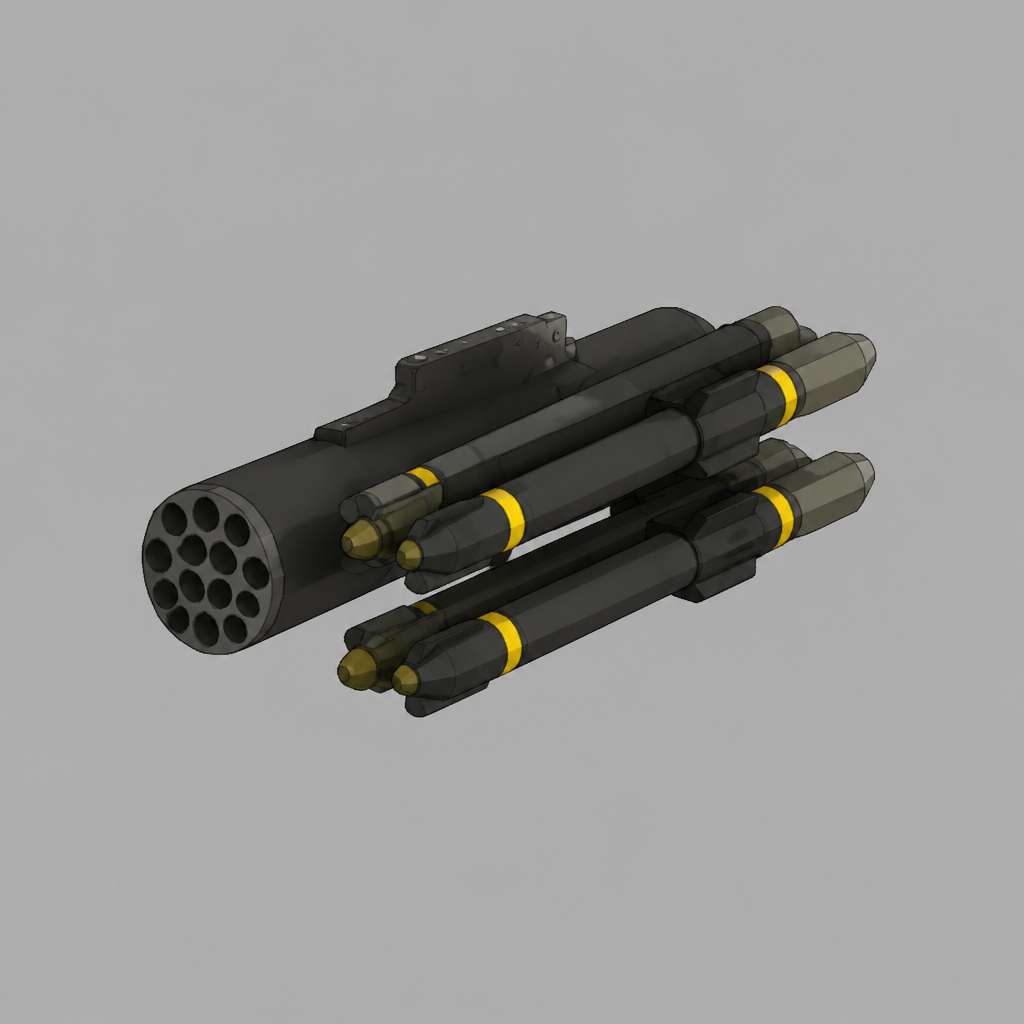
rotor · spins
gun · auto-aim
missiles · fire
Live capture · the Multipart Builder turning static art into a combat-wired unit
behind the scenes · the real pipeline forging a unit end-to-end, inside the engine (loads trimmed)
you type: "soviet tank"
engine adds: style · role · framing · class scale
(constructed server-side, never shown)
The author writes the subject. The engine appends style, role, framing and class scale before the model ever sees it — which is why nothing drifts off-model and everything snaps into its slot already combat-wired. Full prompt construction and referee spec: available under NDA.
03 · The business model
Player-creators already make billions.
The market already exists: Roblox and Fortnite pay player-creators billions a year. But those players only assemble pre-made blocks, because nobody lets them generate. DoctrineStrike does, and every generation is a call to Magnific. Millions of players creating means a constant stream of inference demand for Magnific.
The Epic playbook, but the skins are generated.
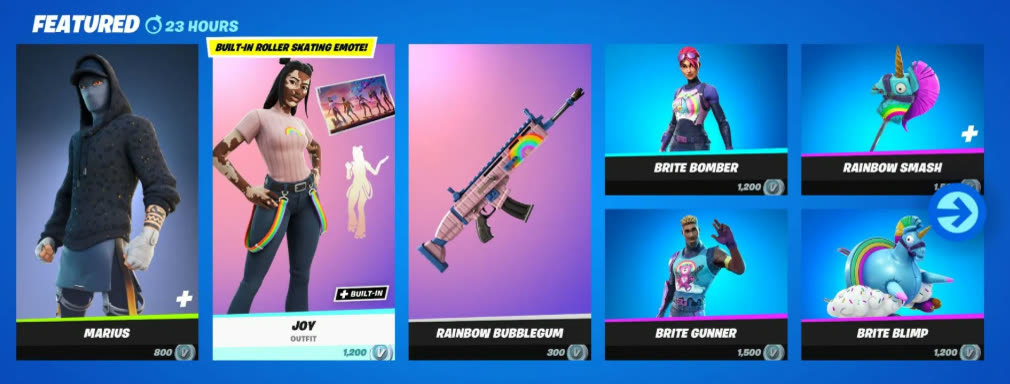
Unreal made Epic a company. Fortnite skins made it a giant. A free game turned cosmetics into one of the biggest money machines in entertainment:
▶ Fortnite's Item Shop · a fixed catalog of studio-made skins players pay for · we make it infinite & player-generated
$26B+
Fortnite revenue since launch, almost all of it cosmetics.industry estimates · directional
$0
Price of the game. Free-to-play, funded entirely by skins & the battle pass.
~1,900
Skins in the catalog, every one hand-made by Epic's art team.
*third-party estimate
25 yrs
Built on the modding king
Command & Conquer stayed alive for 25 years on mods, without ever getting a remake. We rebuilt that RTS and replaced “wait for a modder” with “prompt it yourself.” It hands the most passionate mod community in gaming one-click generation.
21M+
The appetite is proven
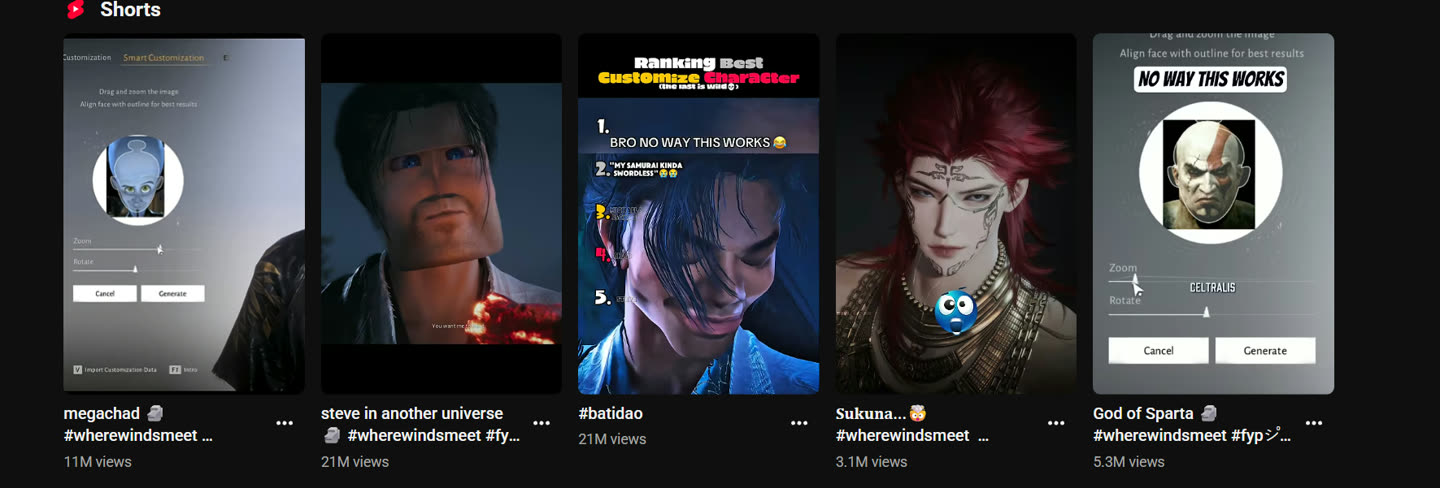
The face-scan in Where Winds Meet lets players turn a photo into their in-game character. One ranking clip passed 21M views since March 2026, and YouTube is full of them. All of that from a single cosmetic feature. DoctrineStrike regenerates the whole unit (weapon, skin, faction), a much deeper hook than a face swap.
▶ YouTube · #wherewindsmeet “face scan” · one feature, clip after clip in the tens of millions
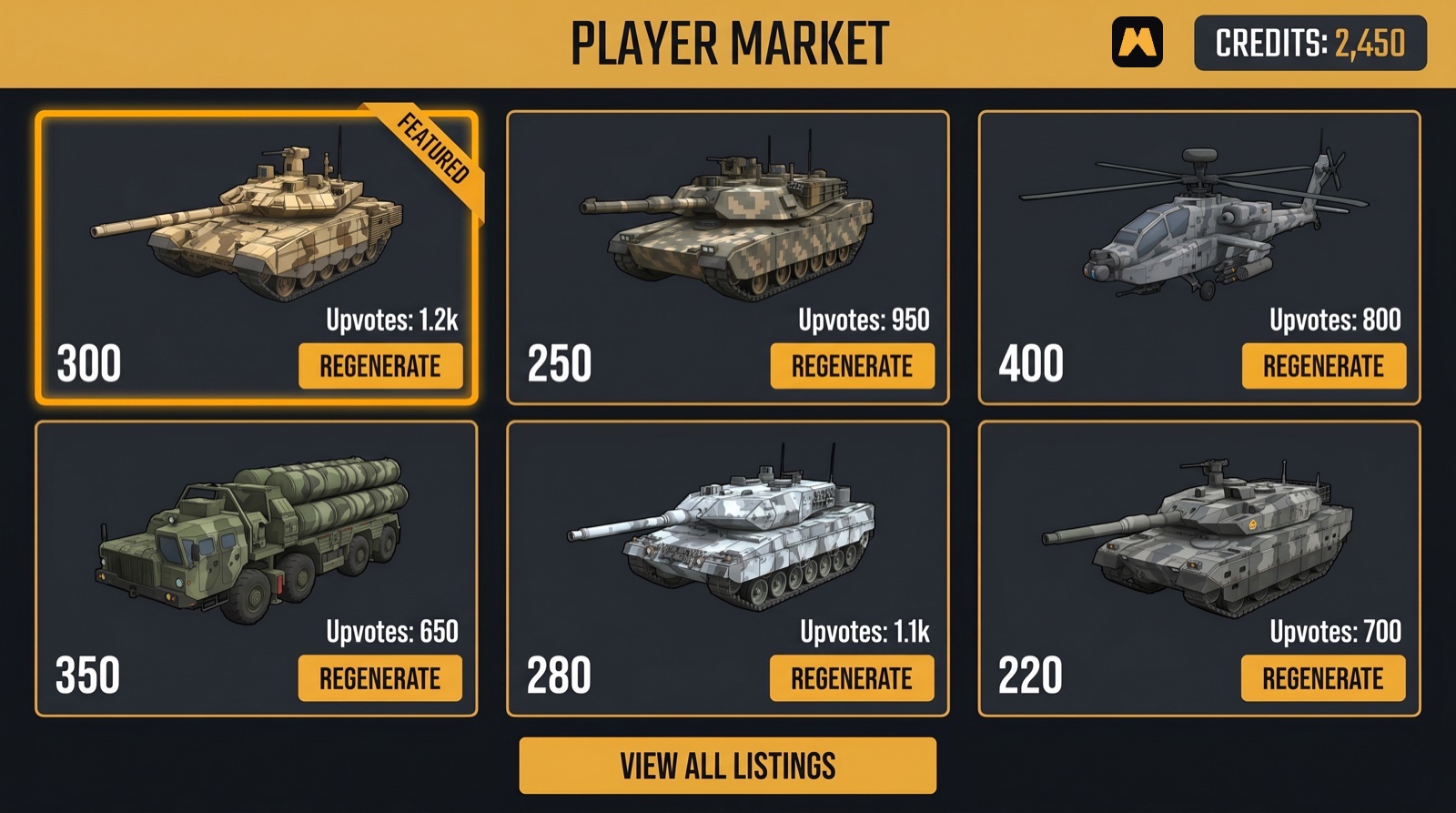
Three revenue lines, all running on Magnific.
▶ the DoctrineStrike Player Market · at launch, concept in the game's UI · every listing is a prompt, every purchase re-generates on Magnific
The in-game currency is your credit.
Fortnite runs on V-Bucks, and V-Bucks built Epic. DoctrineStrike does not mint its own coin: every price in the workshop, the exchange and the market is denominated in your credits. Every top-up is your revenue, every player balance is an account with you, and the first game economy native to an AI platform carries your name on it.
In the build today
Players pay to create
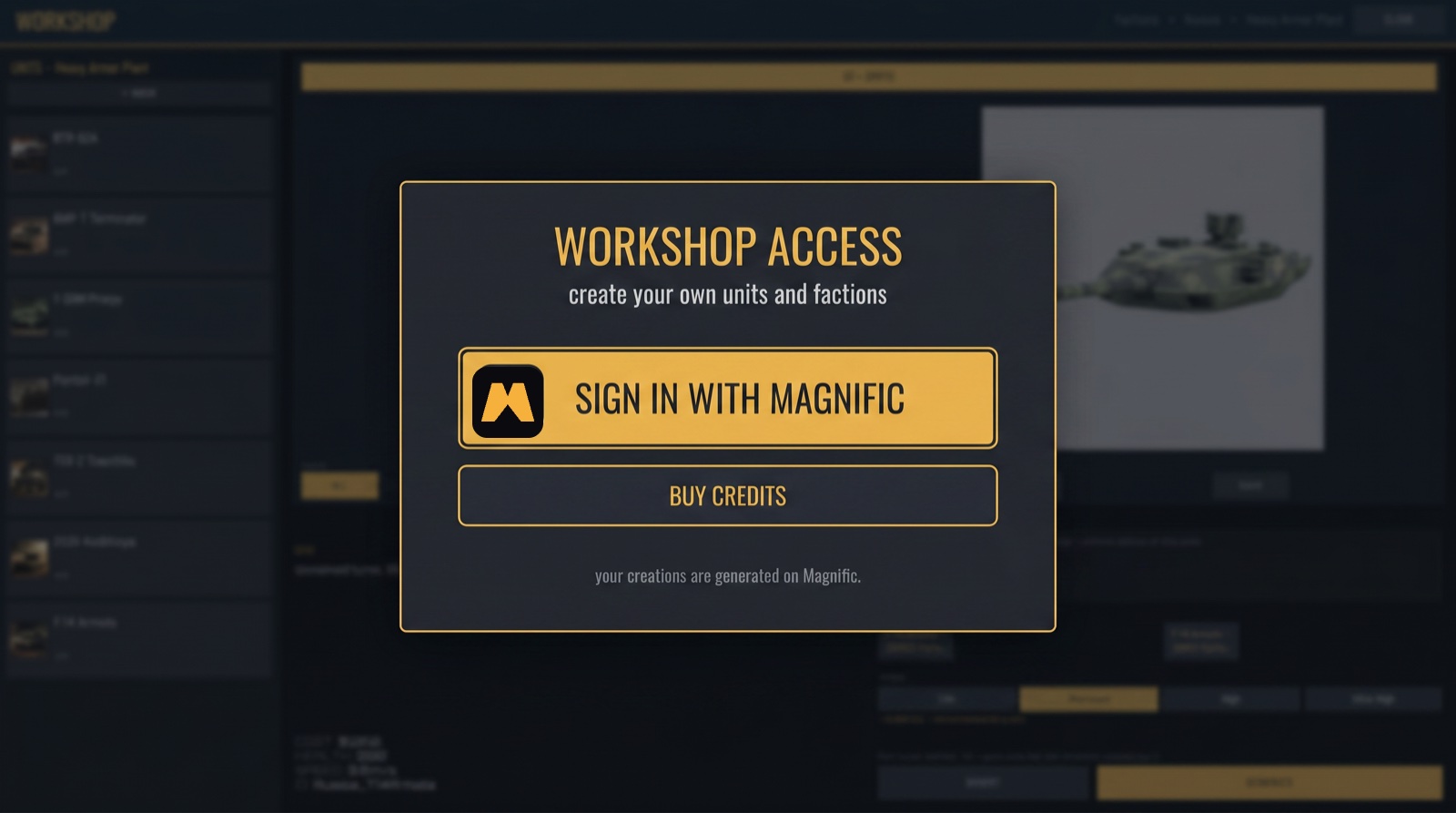
Players sign in with your account inside the workshop and buy credits straight from you, so the billing and the customer relationship stay yours. Quality tiers (low → ultra) and one-tap revert both trigger fresh generations: the more players create, the more they spend.
At launch
Marketplace take-rate
Players share, buy and sell their creations, the Roblox/UEFN model applied to generated content. Every resale is another paid generation.
The roadmap
More games, more calls
The creator layer can embed in other titles. Each new studio brings new players, and every new player brings more generations. The loop compounds, all on Magnific.
$7.2B
GenAI-for-3D by 2029, up from $1.9B in 2024 (~31% CAGR).The Business Research Company · directional
~$24B
UGC-gaming market by 2032, the category DoctrineStrike puts Magnific inside.6Wresearch · directional
Modelled
Cost per skin, per fully-rigged unit and generations per active player are modelled from our own runs — the full unit economics are on the call, and they are the reason volume works for you.
04 · The new market
From developers to players.
DoctrineStrike ships an in-game Level & Faction Editor where players generate their own tanks, units and entire factions, behind your sign-in. Every creator-player becomes your user: modding turned into one click, a community turned into thousands of player-made units and factions.
01Prompt itin the workshop
02Magnific generatesrigged · on-brand
03Play itseconds later
04Share & sellmarketplace
05Others remixnew generations
↺ every pass through the loop runs on Magnific
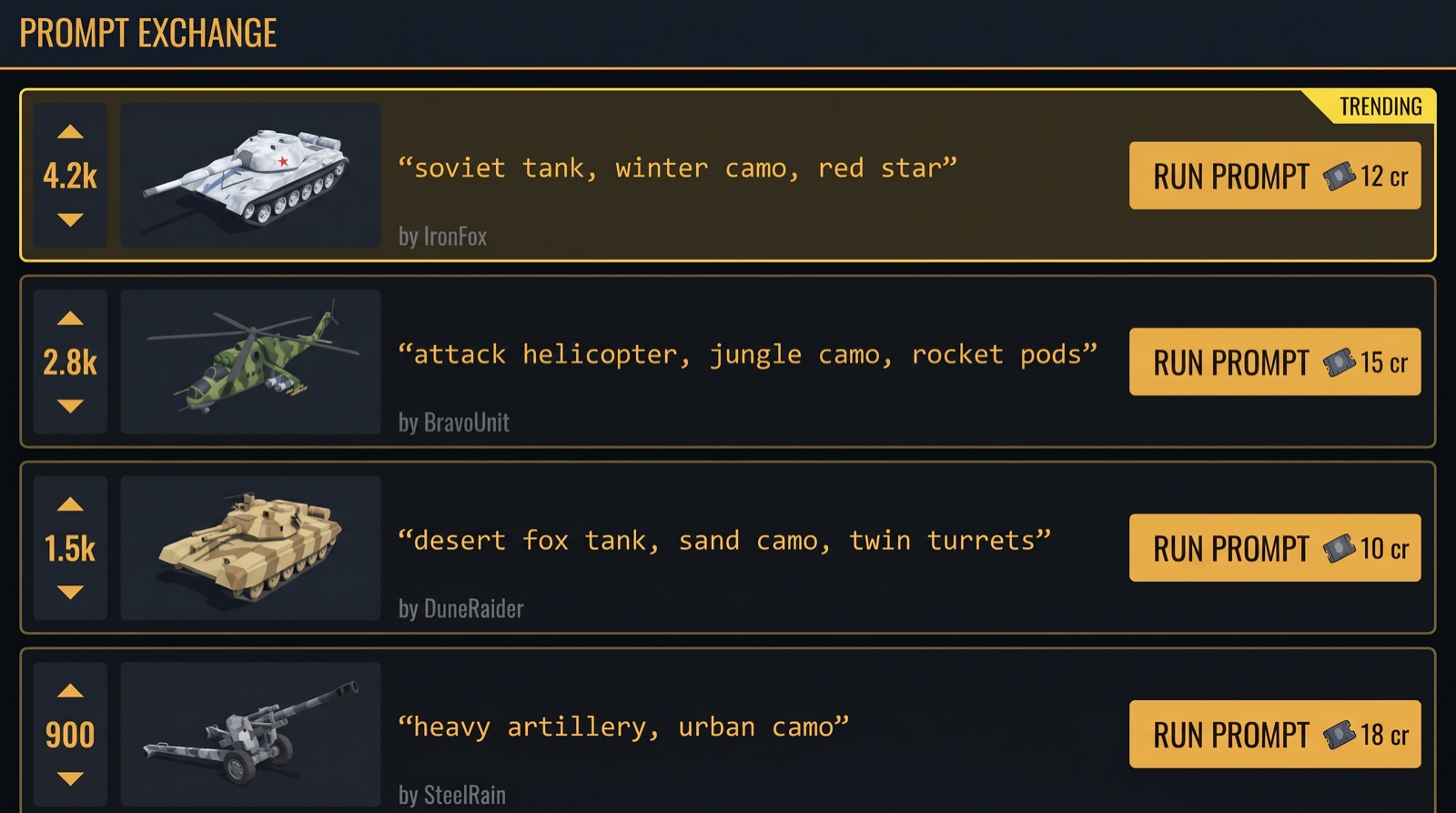
The prompt exchange: sharing is free, owning it costs a generation.
Creations spread through a community hub on doctrinestrike.com: a feed of prompts and result shots that players vote up and down, Reddit-style. Sharing costs nothing. Fielding a shared unit in your army runs its prompt again, and that run is a fresh generation on Magnific.
▶ the prompt exchange hub · concept in the game's UI · browsing and voting are free, RUN PROMPT is a paid generation on Magnific
A skin is one generation. A faction is hundreds.
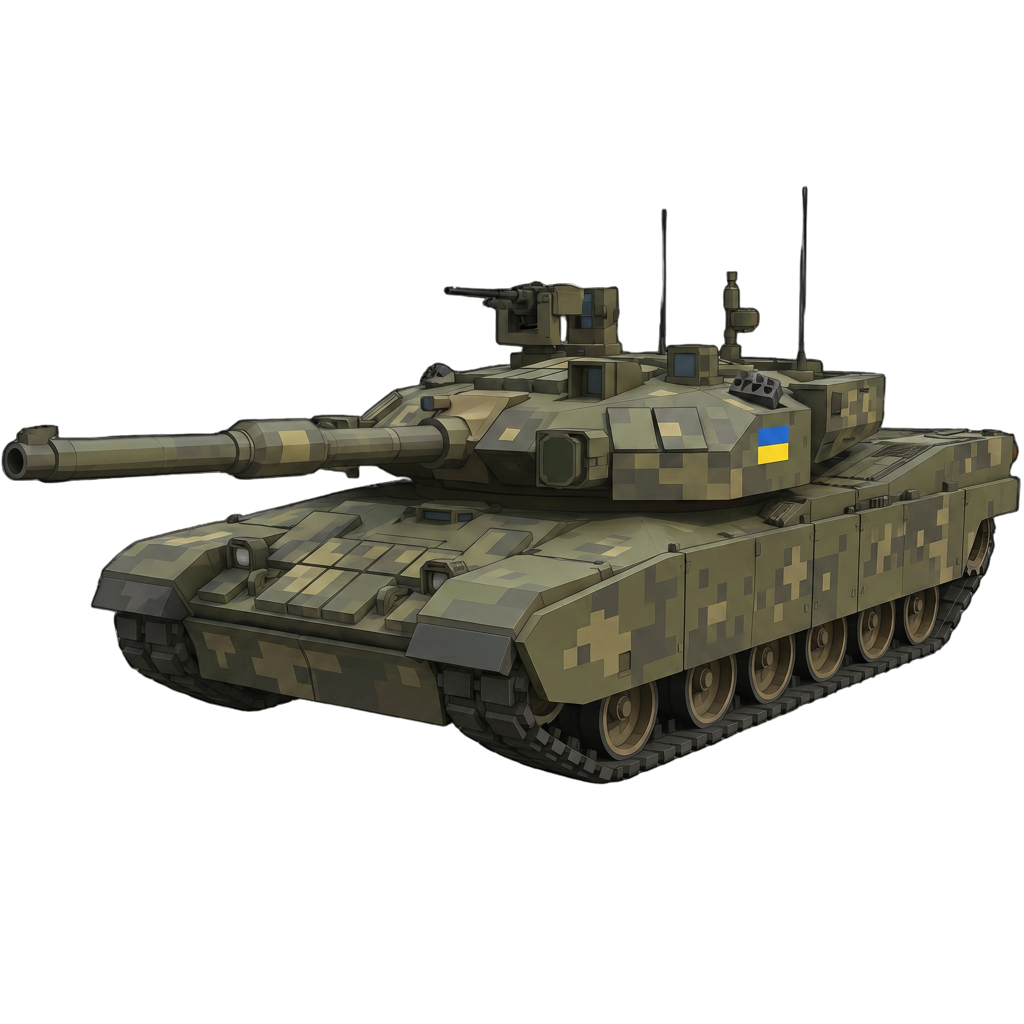
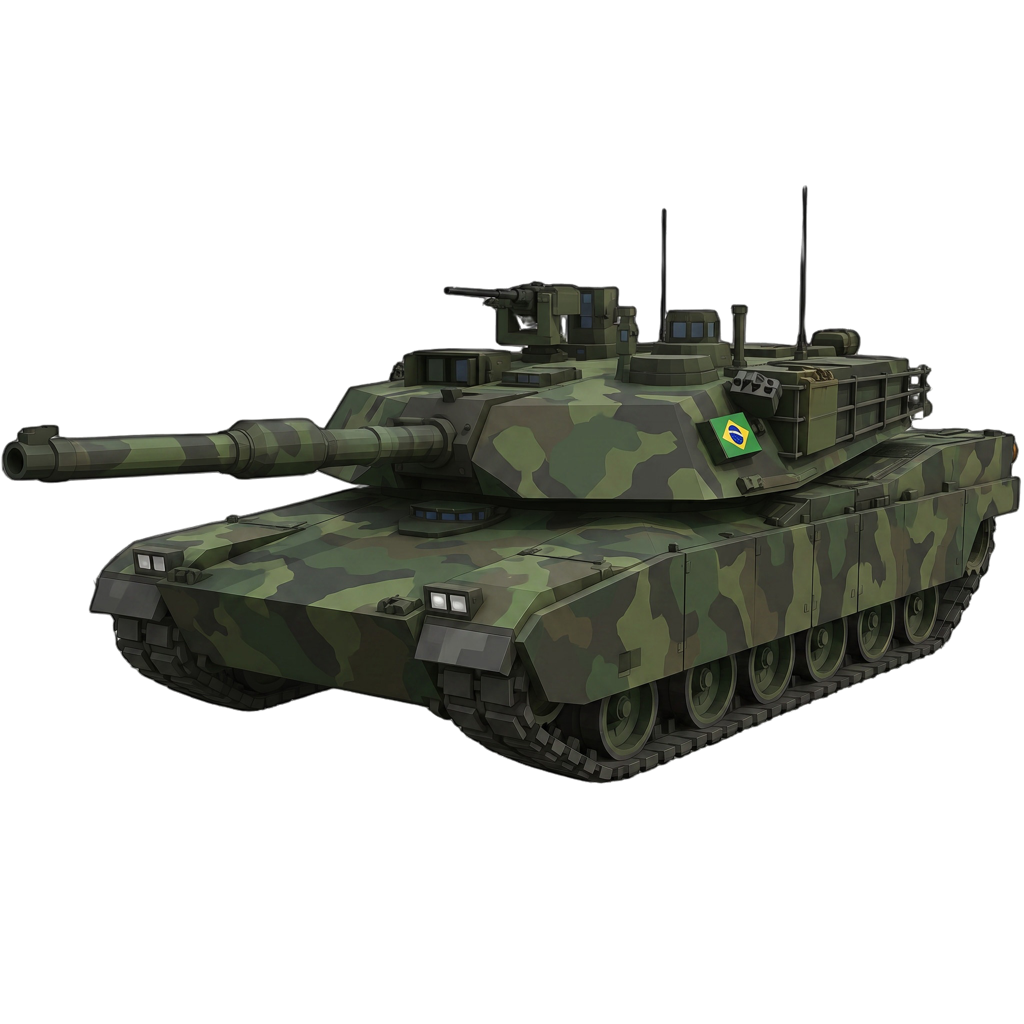
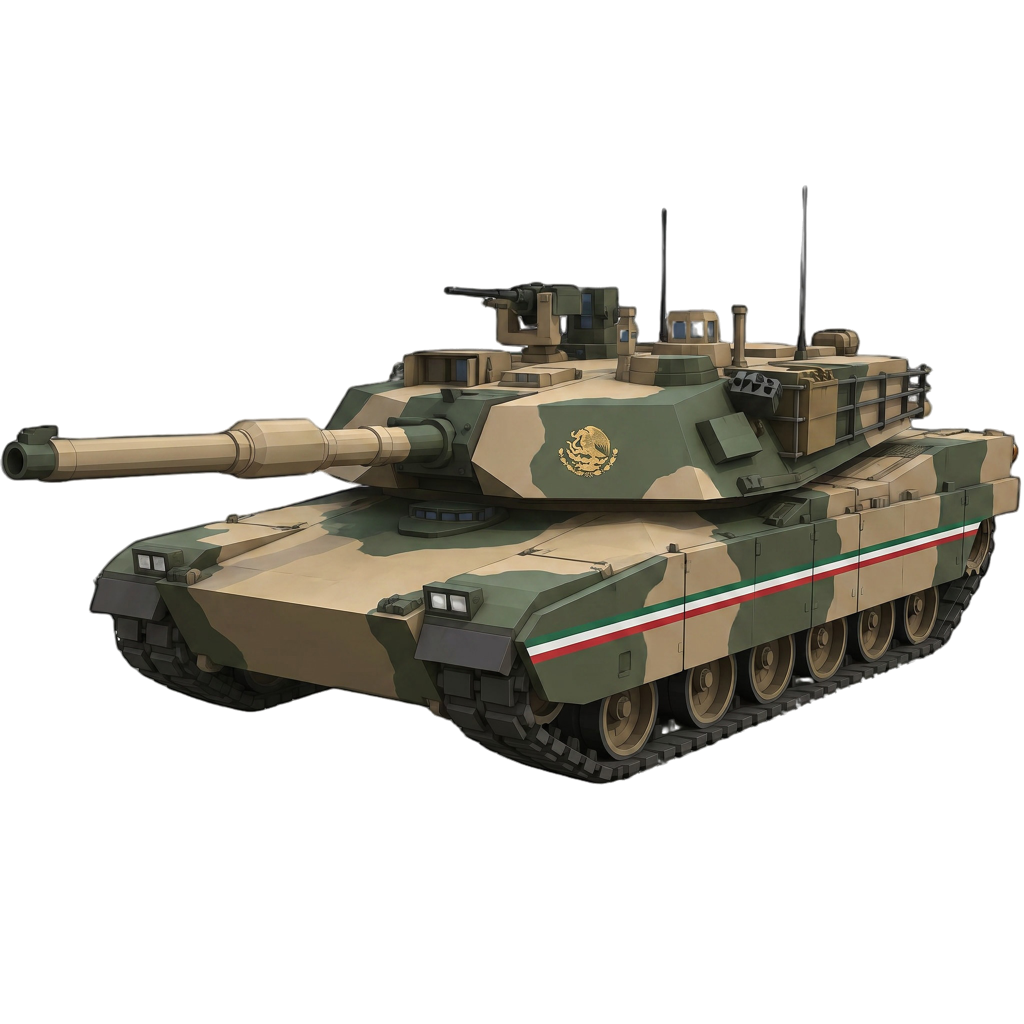
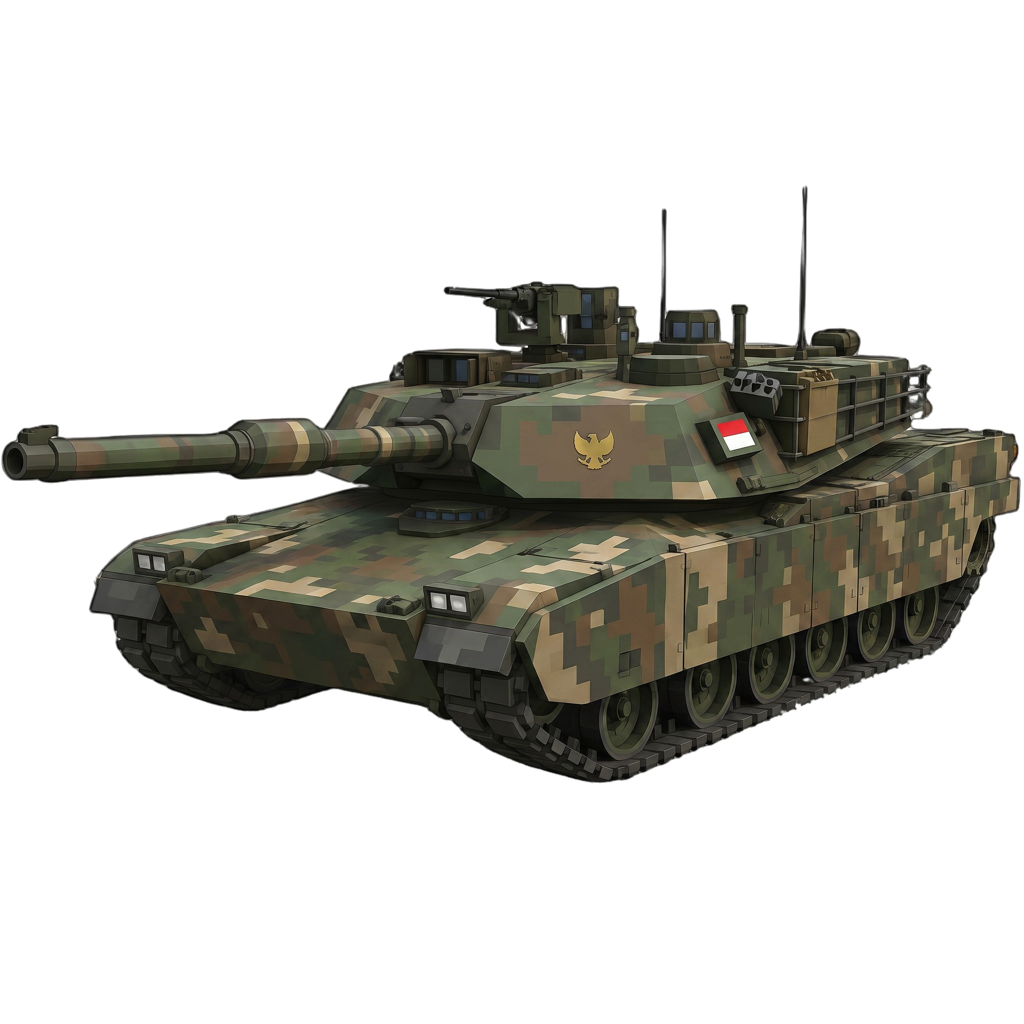
The deepest hook in the workshop: building a whole faction, your own country's army included. Every unit, building and weapon in it is generated to match, with stats cloned from an existing faction so balance never breaks. A committed creator can spend more generating a faction than on a full-priced game, and communities will race each other to field theirs.
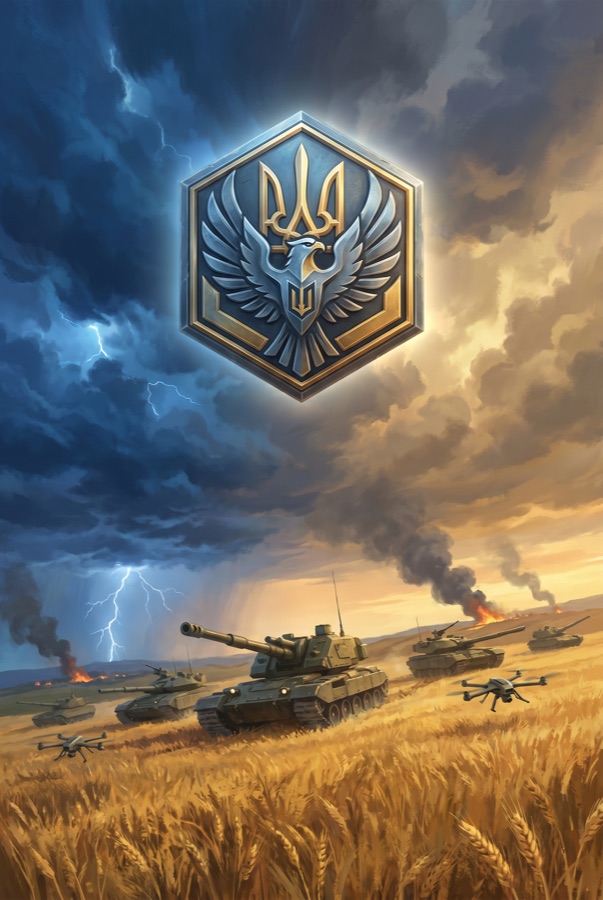
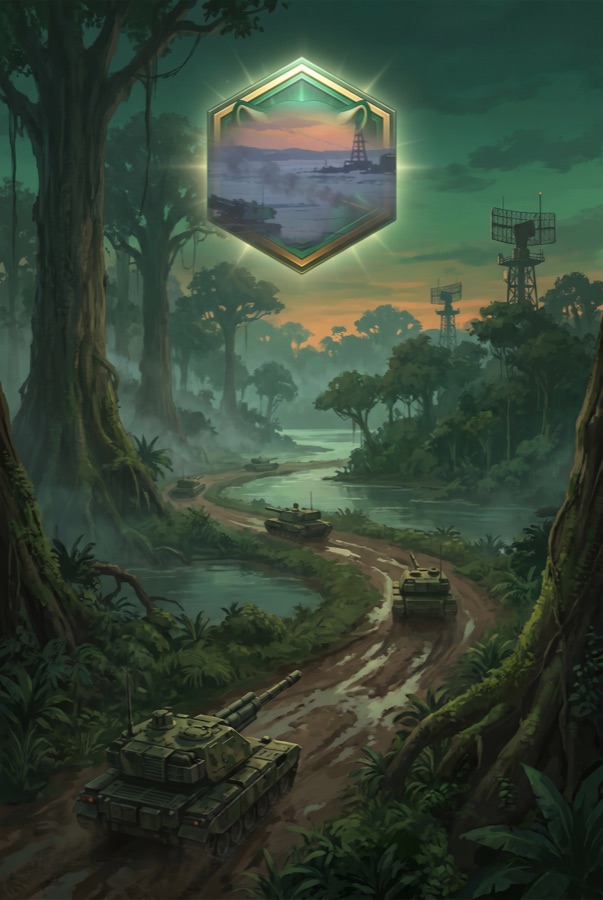
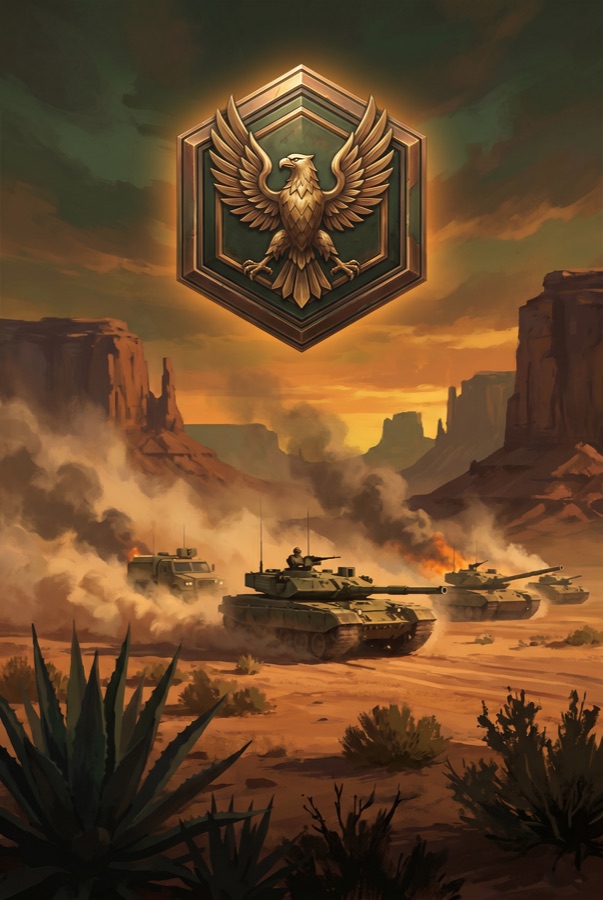
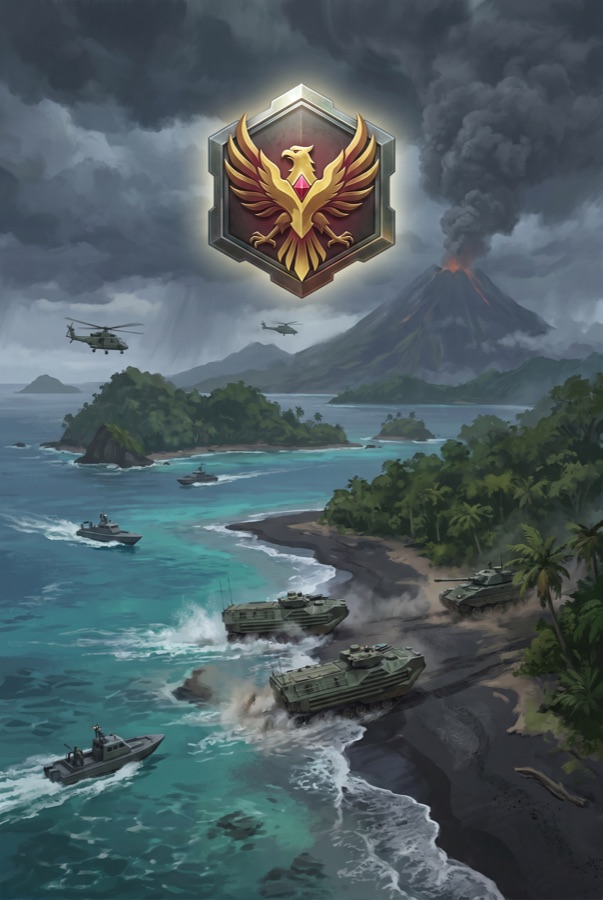
Generated for this pitch, on Magnific · four player factions from one base tank, one prompt each
Oplot · Ukraine
Osório · Brazil
Jaguar · Mexico
Harimau · Indonesia
One more run each and the faction has a face · emblem and key art, same pipeline, same style as the game's official factions
UKRAINEHold the lineBRAZILThe jungle fights with usMEXICOFast · fierce · everywhereINDONESIATen thousand islands, one army
Not a mockup · the real in-game workshop, cloning the EU roster into a brand-new Spain faction, slot by slot
Captured live this week · in-engine, unedited · every clip below
▶ two live edits · paint a flag & number, then reshape the turret to twin cannons · one prompt eachthe big one
▶ type “make it look like Trump” in the prompt → the unit restyles, in-buildlive · in-engine
▶ prompt a weapon → generated, auto-rigged & baked onto the unit · one click, mid-matchlive · in-engine
▶ swap a single part · truck → BBS wheels, just because you canlive · in-engine
▶ don't like it? one-tap revert, then try againsafety net
▶ the player-facing editor · “Edit with your brand” scene, inside a real buildplayer build
05 · The moat
Player content that never breaks the game.
The first question every platform asks about player-generated content: “how do you stop the bad stuff?” Safety runs in two layers: every prompt is constrained at generation time by its slot and role, and an AI referee reviews every output before it enters the game. The bad stuff is structurally hard to produce, and what slips through never reaches a match.
▶ real capture · the AI referee catches an off-spec prompt and rejects it · in-engine, unedited
Everyone else Raw generation
Drifts off-style at random scale and breaks the game.
Moderation bolted on afterwards; NSFW / IP leaks.
You get a “mesh,” not something playable.
DoctrineStrike Constrained generation
Slot & role rules → always fits, always on-brand.
Forced style + role = moderation built in, no extra filter.
You get a rigged, combat-wired unit.
player types: "a flying tank with wings" (in the TANK slot)
engine locks: role = ground vehicle · tracks · turret · house style
result: an on-brand tank · the off-theme part never renders
Auto-rig & snap
The mesh is auto-rigged and normalised to the framing and scale its class expects, so the result snaps into the slot already combat-wired.
Player-safe controls
Transform-style tweaks (position, rotation, scale), quality tiers low → ultra and a one-tap revert, all bounded so a player can refine the build but never break it.
An AI referee on every output
Before a creation enters the game, an AI check answers two questions: is it the class this slot expects, and is it safe? A yes lets the pipeline continue; a no rejects it on the spot. Prompt a cat in the tank slot and it never reaches a match.
Balance-locked stats
Custom units clone their combat stats from an existing unit; the player restyles the look, never the numbers. Nobody prompts a tank that shoots across the whole map, so creativity stays unlimited and the match stays fair.
06 · The showcase
A complete game, powered by Magnific.
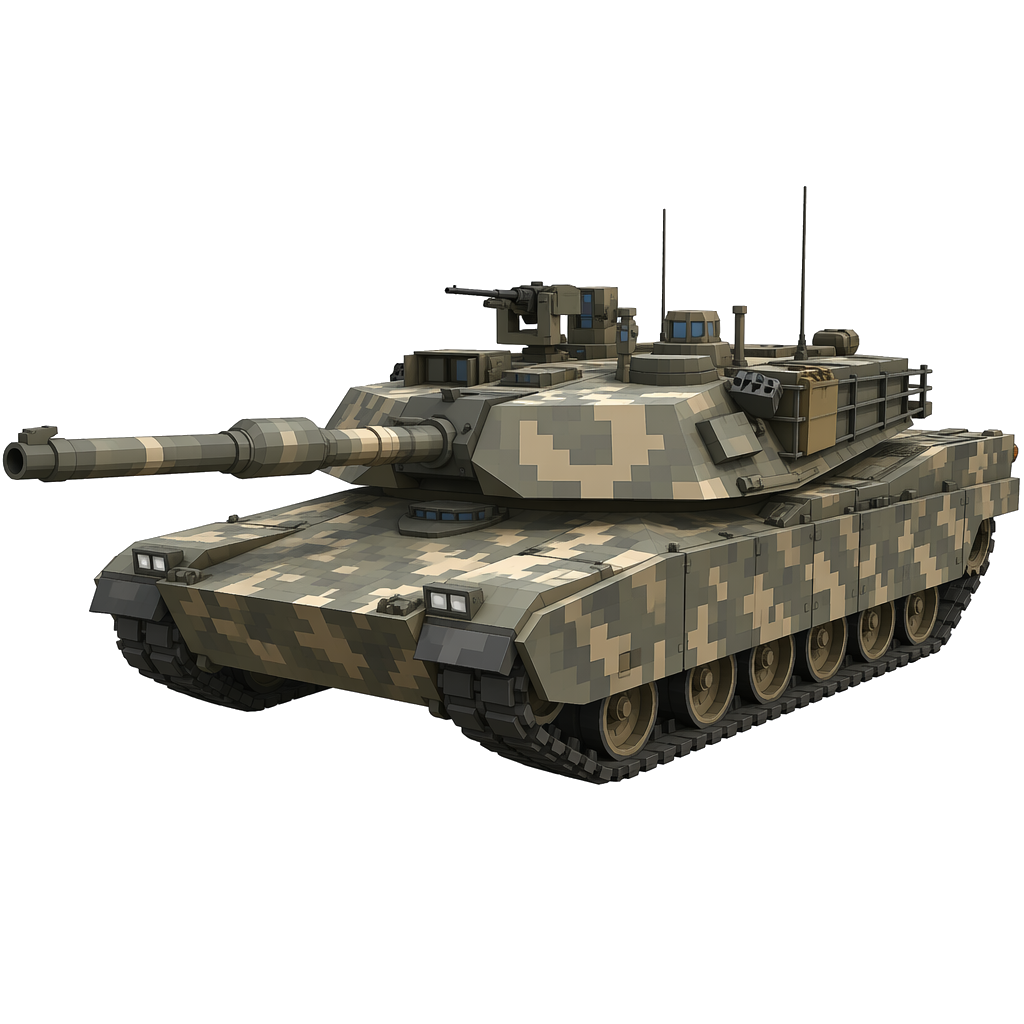
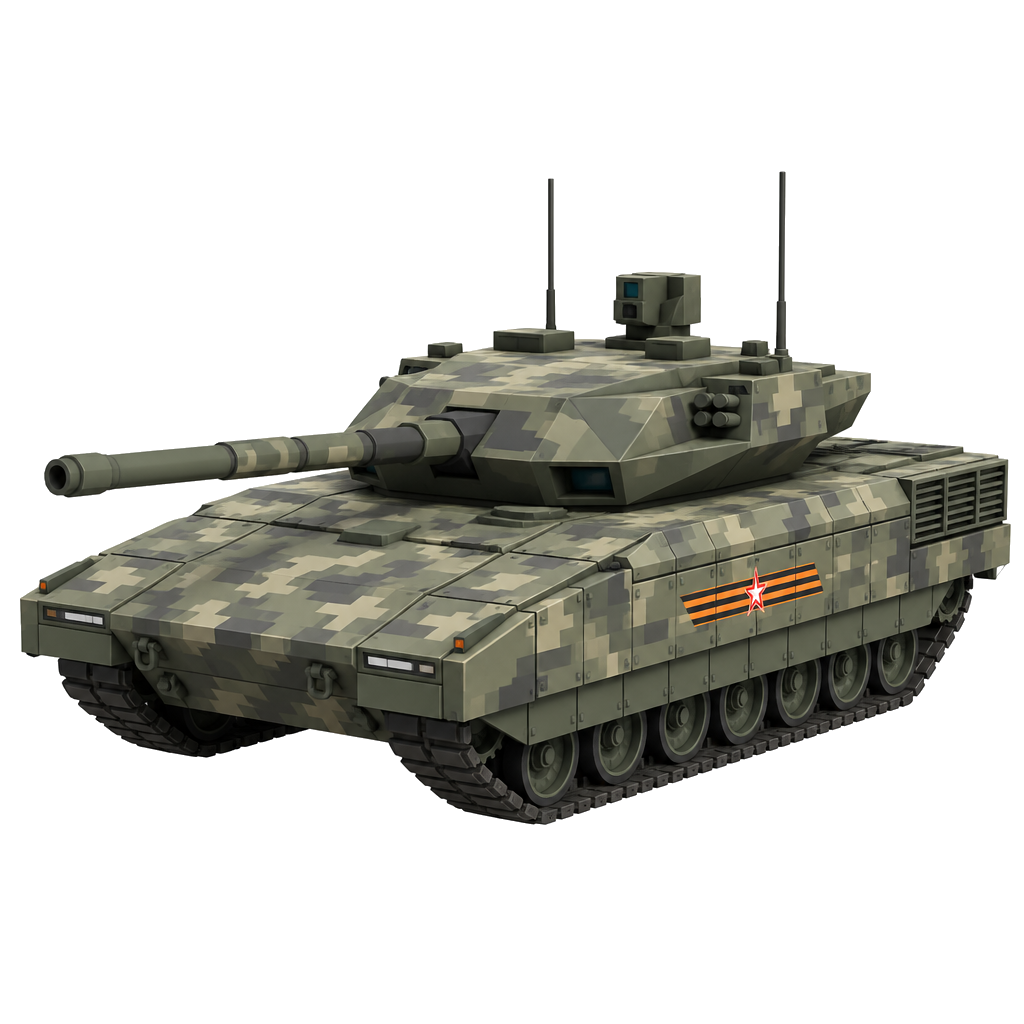
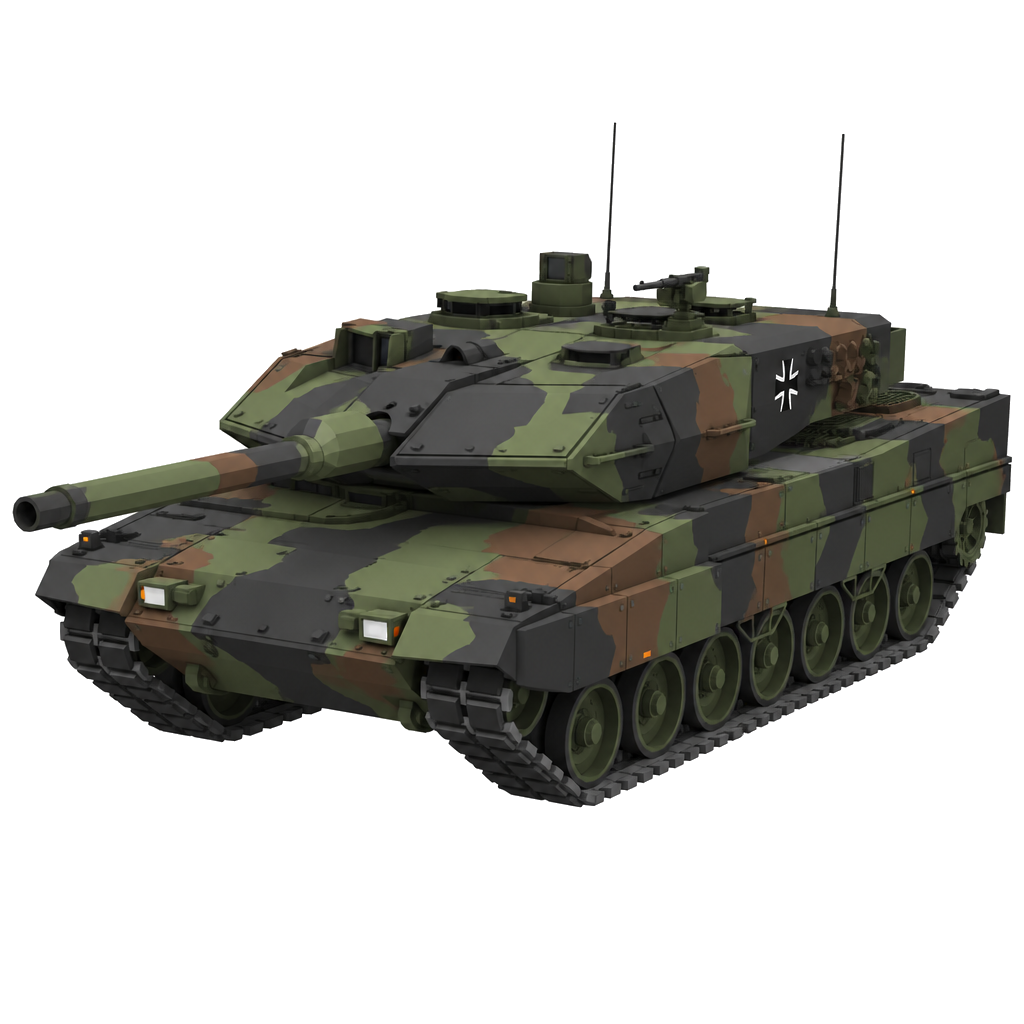
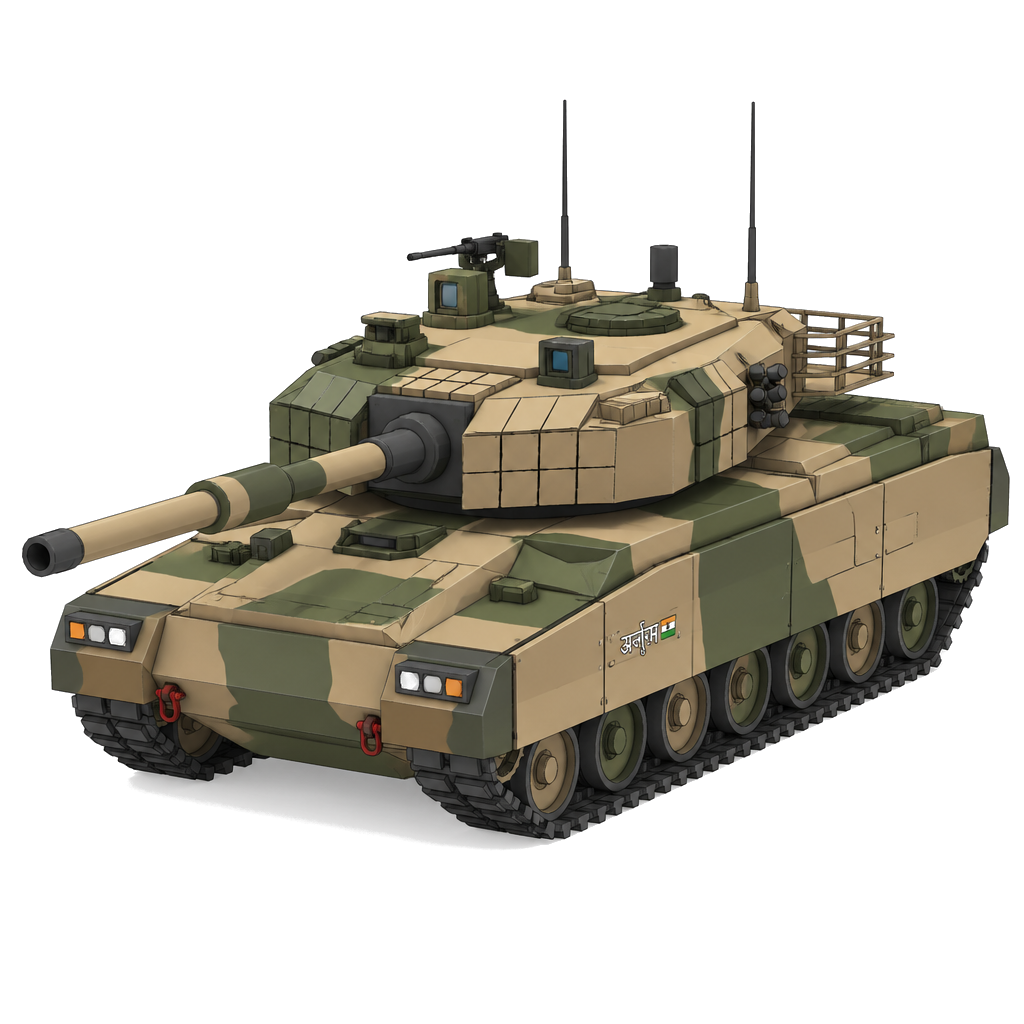
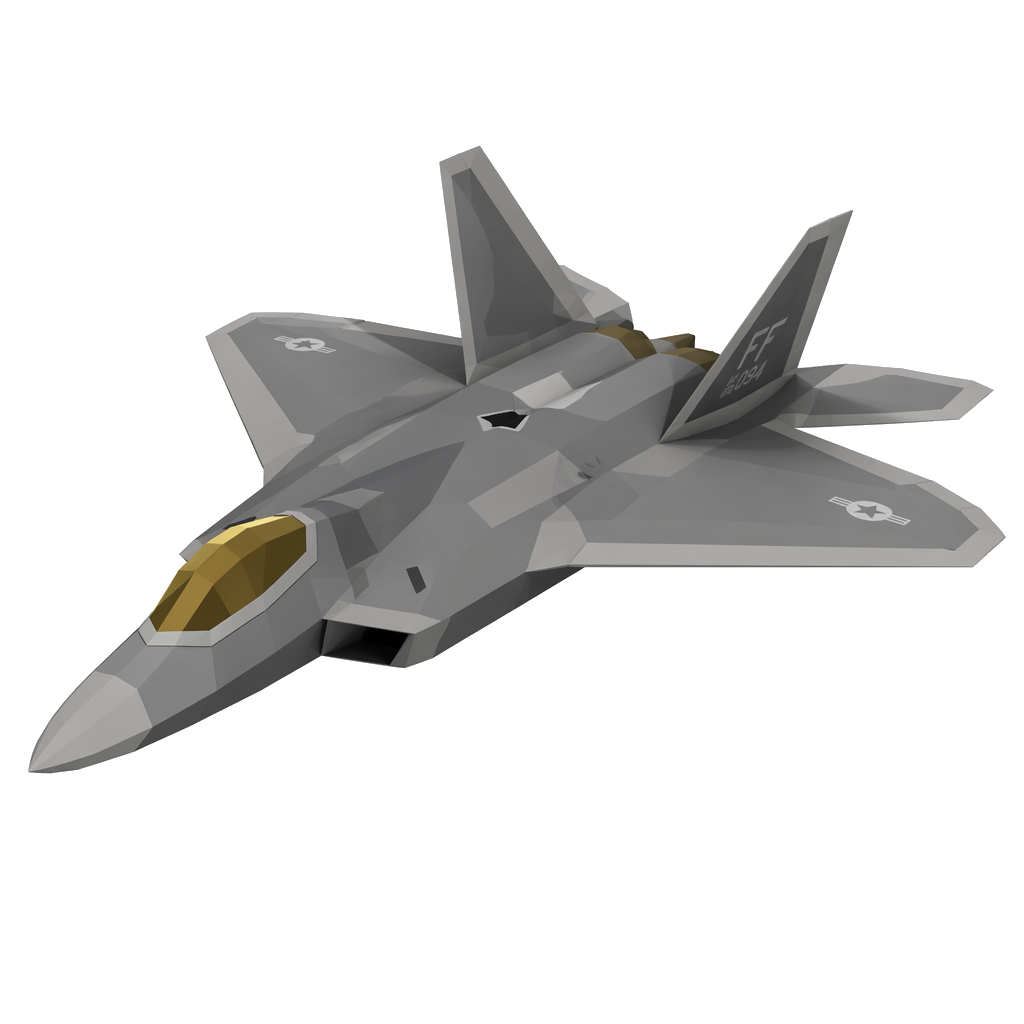
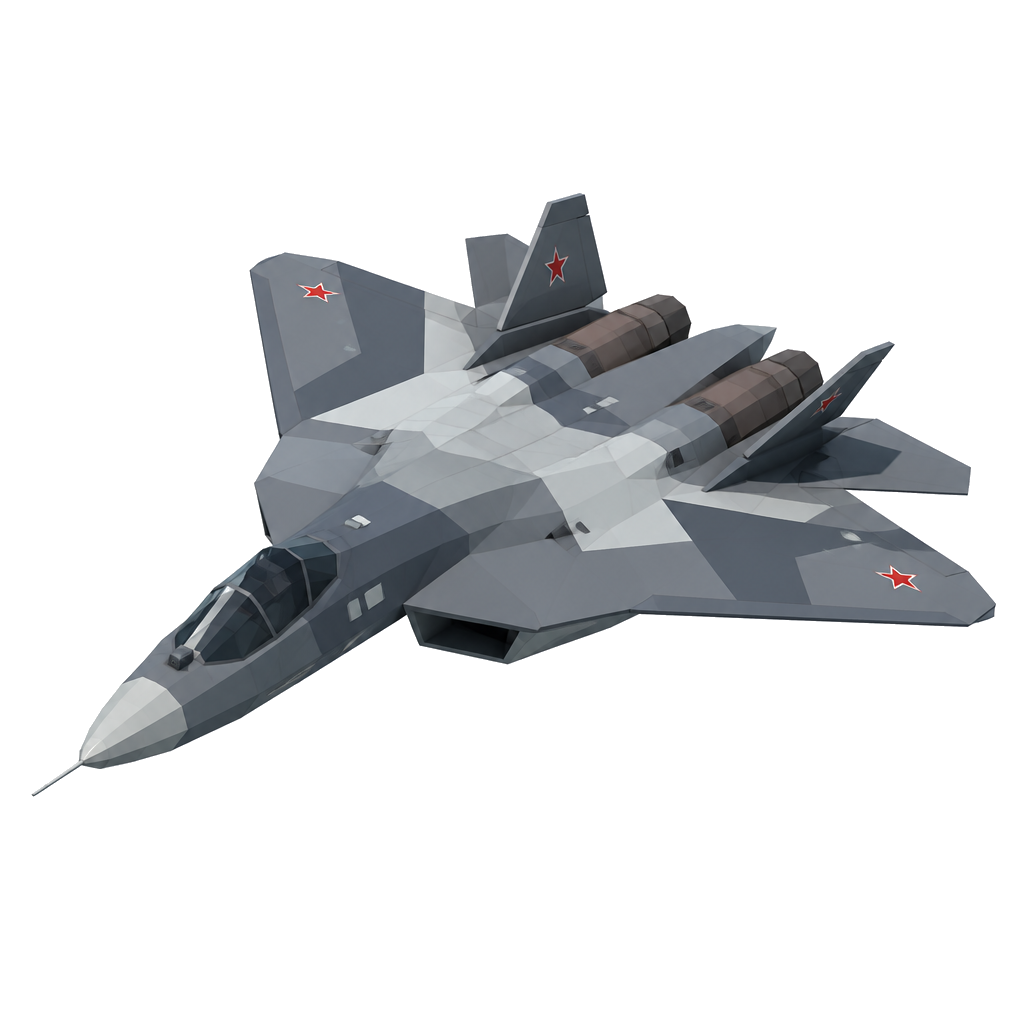
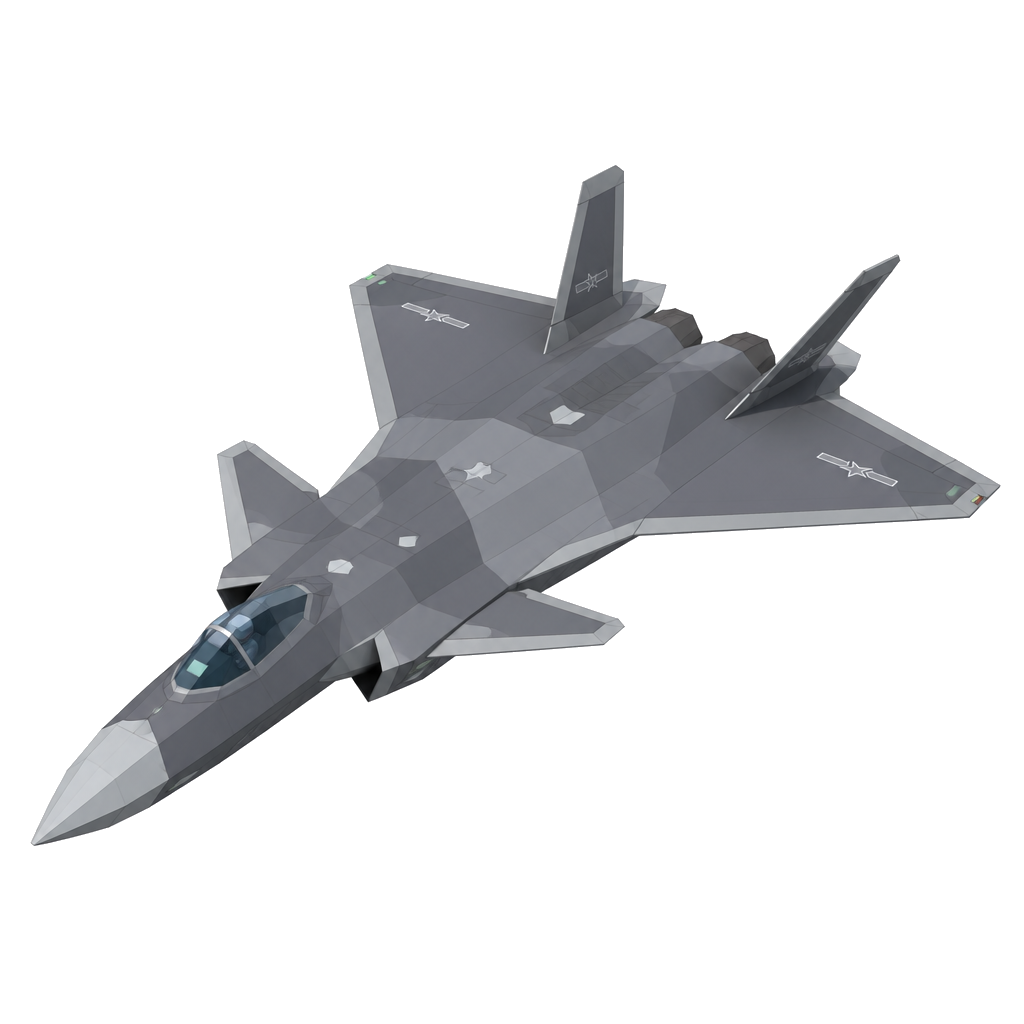
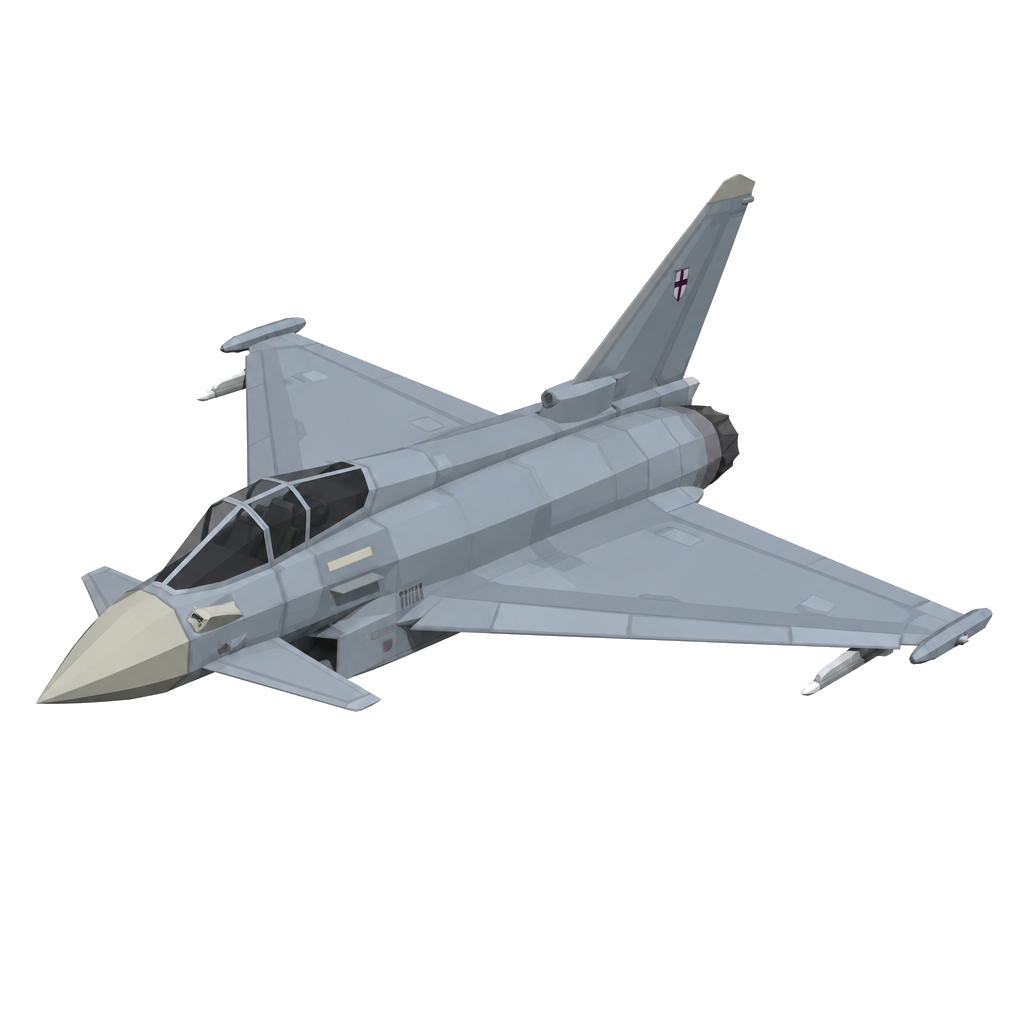
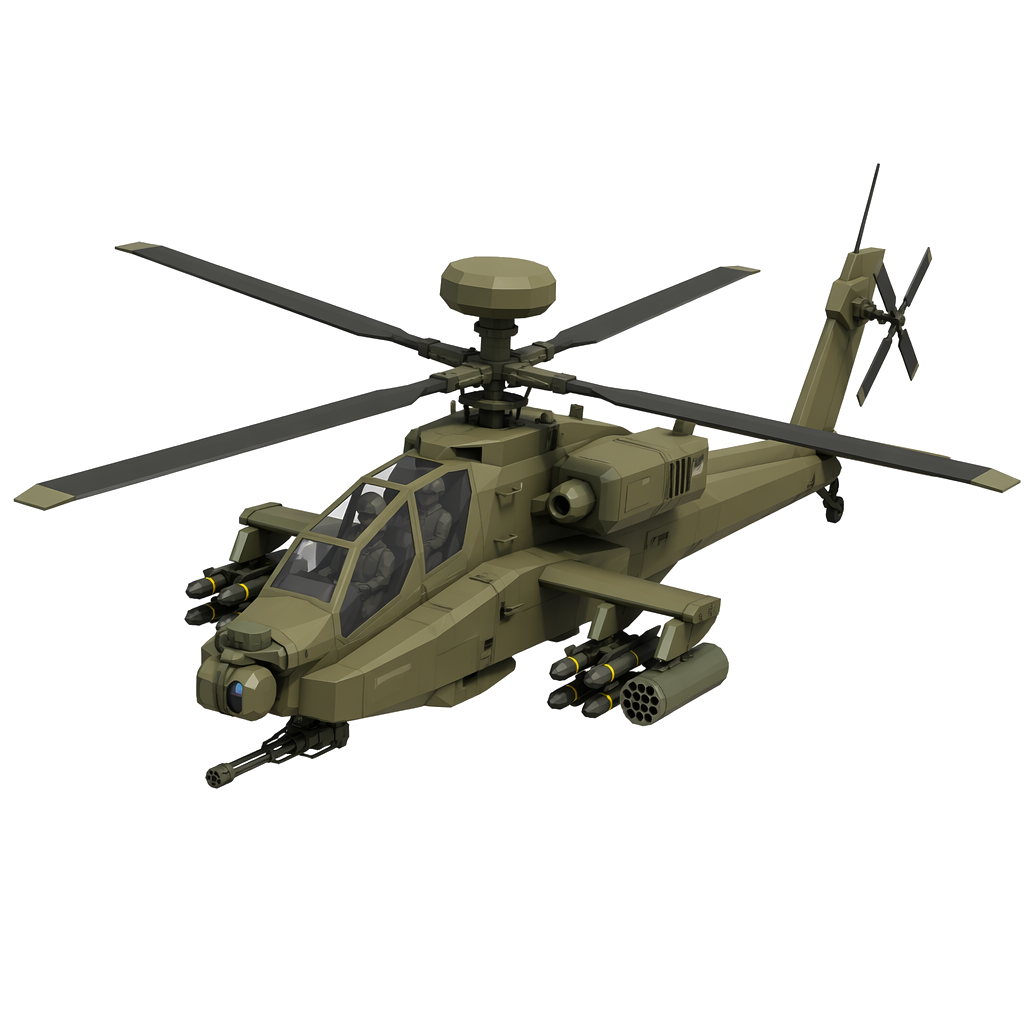
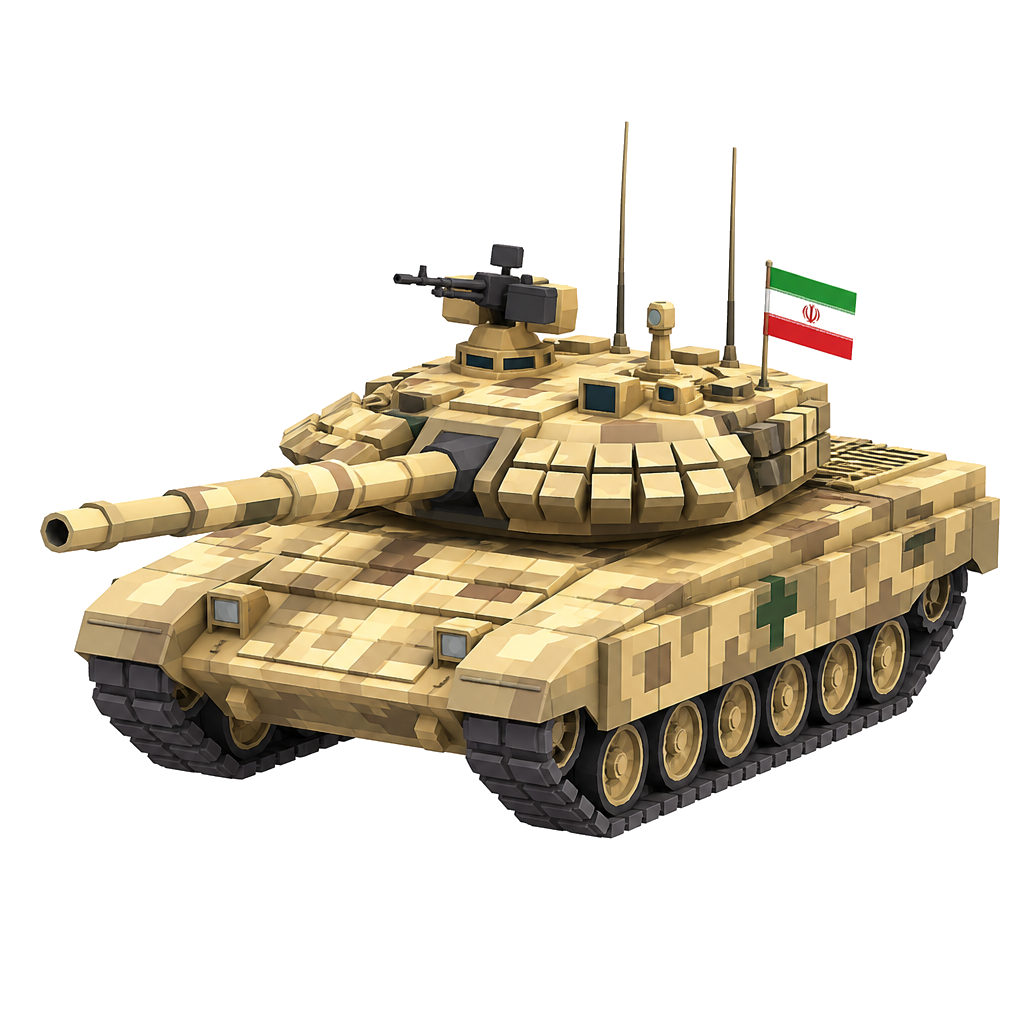
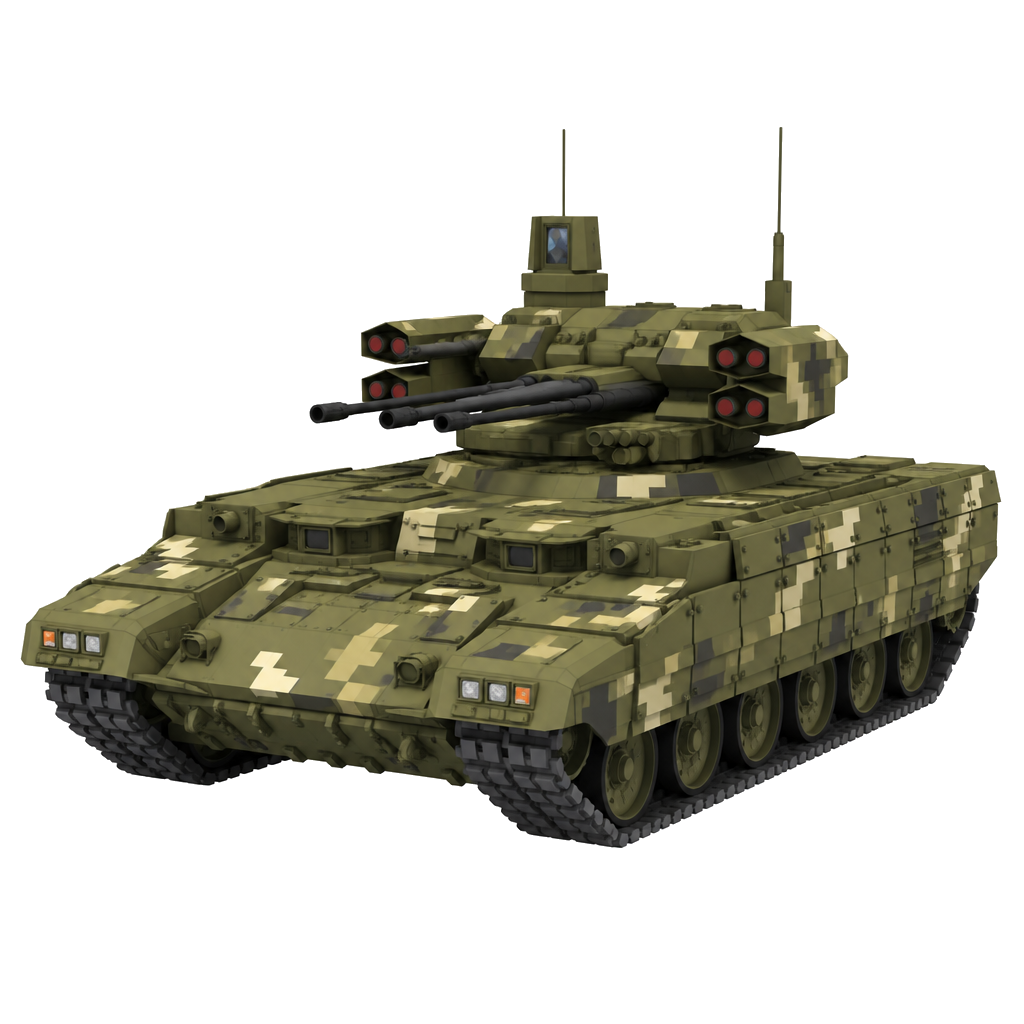
Teams pitching this thesis usually bring mock-ups. We bring DoctrineStrike, a complete RTS whose entire art library is AI-generated. Every unit below was generated from a prompt, in one coherent style, then rigged and wired to play:
Every place on Earth is a scenario, and every scenario is a batch of generations. The map builds from open geographic data, so the catalogue of playable terrain is the planet. Players bring their own places, and each one arrives with an army that has to be generated on your backend.
M1A2 · USA
T-14 · Russia
Leopard 2 · EU
Arjun · India
F-22 · USA
Su-57 · Russia
J-20 · China
Typhoon · EU
AH-64 · USA
Karrar · Iran
BMPT · Russia
Rafale · EU
184
Playable units and buildings generated, plus every icon, projectile and prop. 6 factions, one style.
1 click
Prompt → playable unit, fully automated. Built for Magnific as the default backend: drop-in, no rebuild.
Live
Working demo and full walkthrough: this site, plus the in-engine editor.
Ready for⬢ MAGNIFIC
Where the audience comes from.
We built the product before the audience, on purpose: two people could ship one of those, not both. So the honest position is that the reach is ahead of us, not behind us — and it is dated. This is the part a launch partner actually buys.
Weeks
Steam page live. In Valve's onboarding queue now, pending their tax-details check. It has to be up before Next Fest, so it lands first — and wishlists are the number that matters before launch.
OCT 2026
Next Fest. The demo puts the workshop in players' hands — the first real read on how much they generate.
Day one
Creator seeding. Starts the day the Steam page is live: RTS and modding creators get early access and credits, pointed at the wishlist. Your reach here is worth more than your cheque.
07 · The on-ramp
Magnific drops in: one setting.
The pipeline is already built around clean slots, so Magnific needs no custom integration. Four stages (Text→Image, Image→Image, Image→Mesh, Text→Mesh) are wired and waiting for Magnific. Switching to Magnific is a single selection. No code, no rebuild.
One setting is what it takes to try it. What makes it yours is what we sign: “Made with Magnific” on the store page, trailers and credits, and a style layer calibrated on Magnific — that calibration is real work, and it does not transfer.
Drop-in backend
Magnific becomes the generation engine of a shipping RTS. Integration is one asset in the Workflows library, not a project.
“Made with Magnific”
Like “Made with Unity”: a credit on a real published title (store page, trailers, credits). Proof that your tech ships real games.
On-brand by default
Style injection keeps every image Magnific returns on-model, which means fewer retries and a lower cost per asset.
TODAY AFTER ONE SETTING
Text→Image: current vendor → Magnific
Image→Mesh: current vendor → Magnific
Verification: our referee layer · model-agnostic · unchanged
Identity, billing and age. Default position, open to your structure: you are the merchant of record for credit top-ups and hold the player account; we hold no card data. Age gating runs at sign-in, and creation stays closed to under-age accounts. Unspent credit balances are honoured for a defined wind-down window if either side ends the agreement. Data processing terms are drafted before the pilot, not after.
Each slot is wired and waiting. Flip it to you and the whole game runs on Magnific.
● The partnership
Be first from prosumer to consumer scale.
Your competitors can copy the model. What they can't copy is being first, with a real, playable title ready to put in players' hands. Launch this together and you become the engine of the next Fortnite-scale economy, the next Epic. That first-mover seat is still empty, and it won't be for long.
NOW playable alpha · art library & generation pipeline
complete · single-player vs AI · game systems in progress
multiplayer is post-launch, and we say so on the store page
OCT 2026 Steam Next Fest · first public demo (target)
LAUNCH premium release is the default plan, and it works.
a launch sponsor makes it free-to-play — which is where
the generation volume actually is, for you
We are asking for three things:
Integrate
Be the default backend
The ask: flip our pipeline to you and run the player creator on Magnific. One setting, no rebuild; a two-week pilot proves it with zero engineering on your side.
Sponsor
Fund the free-to-play launch
The ask: $400k up front, structured as a recoupable advance against our revenue share on in-game credit spend. You collect from day one and recover first. This is a marketing-budget commitment, not a corp-dev one.
Amplify
Put your reach behind the launch
The ask: co-market the launch on your channels, plus seed credits for the first wave of creators. Every viral player build doubles as an ad for Magnific, in a vertical none of your competitors owns.
Deal shape: the sponsorship can be structured as a recoupable advance against a revenue share on in-game credit spend. Aligned by design; numbers at the table.
▶ the partnership, as every player will see it · your brand at the door of the workshop · concept in the game's UI
Could you build this in-house instead? You could, and it would close the category: no studio builds on a platform that competes with its own clients. Sponsoring the first title does the opposite, it turns every studio that follows into your customer. Epic did not make Fortnite's best islands; it paid the creators who did. We are having this conversation with three platforms. There is one launch window, and the first to sign takes it.
Who is behind this: two people, in months. Everything on this page, the 111 units, the pipeline and the live demos included. The sponsorship is what turns two into a team: first hires are QA and a balance owner, so verification stops being one person's queue. Code and assets sit in the company's repositories, and the generation work is a pipeline, not a person.
Isidro Quintana
CEO · AI agents · marketing
CEO of Triple O Games and an AI-agent builder himself. Runs brand, community, Steam and the investor side.
Built the RTS and the generation pipeline: 111 units, six factions, the multipart builder and the in-game workshop. From prompt to combat-ready mesh in one click.
The first yes is small → a two-week pilot: flip the backend to Magnific, run the player creator on it, count the generations. Zero engineering on your side.
Out of Office Games S.L. · trading as Triple O Games · CIF B76800895 C/ Volcán Nevado del Ruiz 25, 1 Dcha · 38108 San Cristóbal de La Laguna · Santa Cruz de Tenerife, Spain Signatory: Isidro Quintana, CEO. DoctrineStrike ships under this entity, and the agreement is signed by it.
 body
body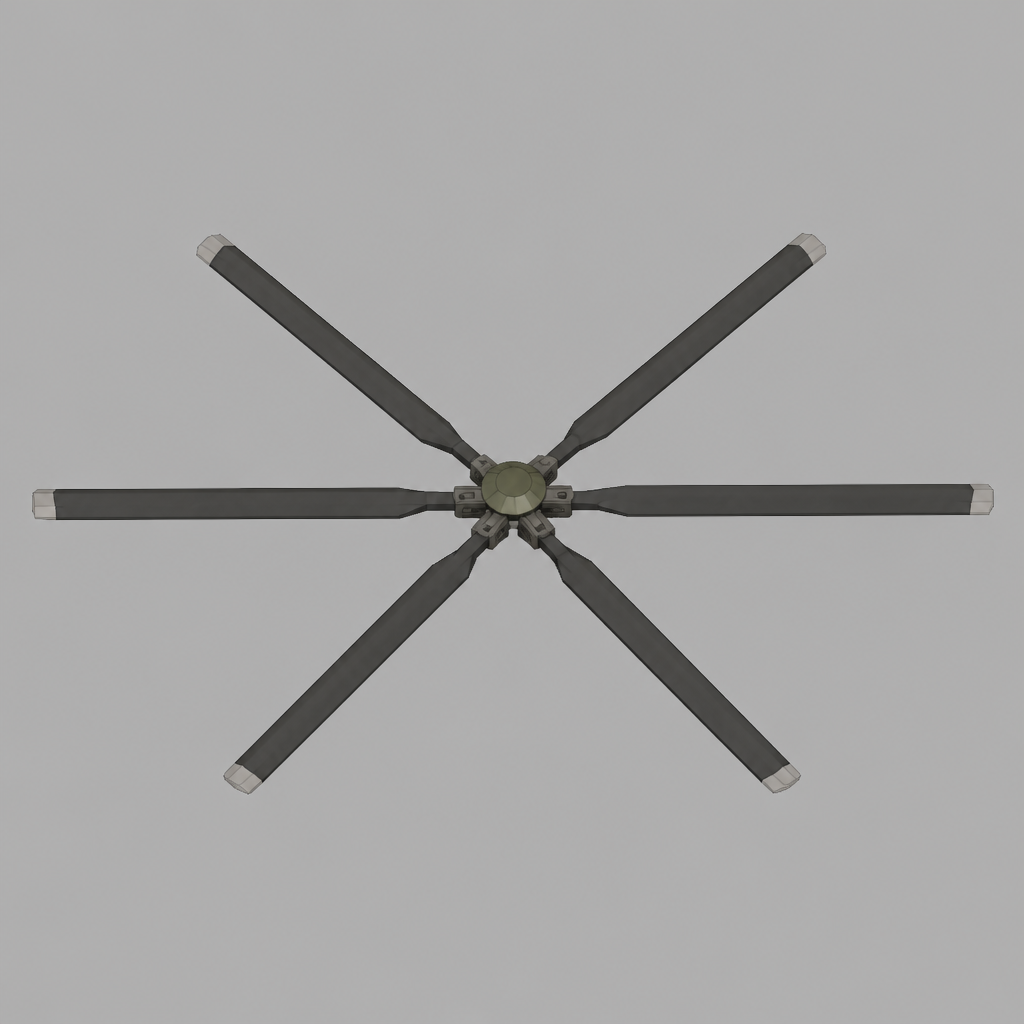 rotor · spins
 gun · auto-aim
 missiles · fire